





AI is no longer just an idea that businesses are testing. In 2026, it is becoming a central part of how enterprises operate, helping employees work more efficiently, leaders make informed decisions, developers build applications, and organizations deliver better customer experiences. Microsoft is supporting this shift with a connected AI ecosystem that includes Azure AI, Microsoft 365 Copilot, Microsoft Fabric, Copilot Studio, GitHub Copilot, Dynamics 365, and other capabilities across Microsoft Cloud.
However, becoming an AI-powered enterprise involves more than adopting new tools. Organizations need a clear strategy that connects their people, data, applications, and business processes while keeping security, governance, and costs under control. This article explores how Microsoft AI is transforming modern enterprises in 2026 and what organizations should consider as they build a secure, connected, and practical AI strategy. As a Microsoft Solutions Partner, IFI Techsolutions works with organizations navigating these priorities across cloud, data, applications, and security.
Enterprise AI Is Moving from Experiments to Real Business Impact
Early enterprise AI projects often focus on what a model can generate. Once organizations move toward wider use, the harder questions become more practical: Can the system find reliable information? Does it understand the business process? Can it respect existing permissions and compliance requirements?
Without that context, each AI solution requires separate data connections, rules, and controls. Microsoft is addressing this challenge by helping organizations ground Copilot and AI agents with approved business data. This makes responses more relevant and allows teams to automate work without giving systems unnecessary access.
Microsoft Copilot Is Changing Everyday Productivity
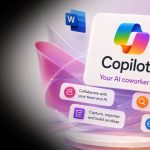
Microsoft Copilot brings AI into applications that employees already use, including Word, Excel, Outlook, Teams, and PowerPoint. It can help people summarize discussions, prepare first drafts, review information, and identify next steps without moving between several tools.
The value becomes greater when Copilot can use relevant workplace context. Work IQ, Microsoft’s workplace intelligence layer, helps agents reason over organizational data while respecting permissions. This can make a project summary, proposal, or meeting recap more useful because it is grounded in information the employee is allowed to access. Organizations still need clear usage policies, data controls, and employee training to use these capabilities responsibly.
AI Agents Are Becoming the Next Step in Enterprise Automation
Copilot responds to a user’s request, while an AI agent can be designed to complete a series of steps toward a defined goal. For example, an agent might collect information from approved sources, prepare a draft, send it for review, and update the business system after approval.
Copilot Studio allows organizations to build and manage agents for specific processes. The best use cases are usually repetitive, rules-based, and easy to review. Human oversight remains important, especially when an agent handles sensitive data, financial decisions, customer communication, or changes to business records.
Ready to get started?
From Strategy to Success—Your AI & Cloud Journey Starts Here!
Microsoft Fabric Is Strengthening the Data Foundation for AI
AI results depend heavily on the quality and availability of the underlying data. When information is duplicated, outdated, or spread across disconnected systems, employees may receive inconsistent answers. Microsoft Fabric helps teams bring data engineering, analytics, reporting, and AI work into a more connected environment.
OneLake, the unified data lake in Microsoft Fabric, gives organizations a common place to connect, discover, secure, and govern data. Shortcuts and mirroring can reduce unnecessary data movement while allowing different teams to work from a consistent source. A stronger data foundation does not guarantee accurate AI results, but it makes reliable analysis and governed AI use much easier to achieve.
Security and Governance Are Now Critical for AI Adoption
Security and governance need to be designed into an AI program from the beginning. Leaders should know which AI tools and agents are in use, what information they can access, who owns them, and how their actions are reviewed. These controls become more important as organizations move from personal productivity scenarios to automated business processes.
Microsoft Agent 365 provides a control plane for observing, governing, and securing agents. Its software development kit can add enterprise identity, monitoring, notifications, and governed access to Microsoft 365 data. Microsoft Entra, Defender, Purview, and existing Microsoft 365 administration tools can also support identity, threat protection, data governance, and audit requirements. Technology alone is not enough; organizations also need ownership, approval processes, testing, and regular reviews.
How Microsoft AI Supports Key Business Functions
The most useful AI programs begin with a clear business problem. The following examples show where Microsoft AI can support daily work when the data, controls, and review process are in place.
IT and Platform Engineering
Technology teams can use Copilot and AI agents to review system information, summarize incidents, support code development, and handle routine service requests. Automation should be limited to approved actions, with escalation paths for issues that require investigation or judgment.
Sales and Marketing
Sales teams can prepare account summaries, capture follow-up actions, and update customer records more efficiently. Marketing teams can use Copilot to organize research and develop first drafts. Employees should review all customer-facing content and avoid entering sensitive information into unapproved tools.
Finance
Finance teams can reduce manual effort in reporting, reconciliation, and variance analysis by connecting Copilot to governed data. AI may help identify unusual patterns or prepare explanations, but financial conclusions and forecasts still require validation by qualified employees.
HR
Human resources teams can use approved AI solutions to answer common policy questions, prepare onboarding materials, and coordinate routine tasks. Access should be tightly controlled because employee records often contain personal and confidential information.
Customer Service
Customer service teams can retrieve relevant product and policy information more quickly, summarize cases, and suggest responses. Agents should review important replies, while the organization monitors accuracy, response quality, and customer outcomes.
Ready to get started?
Ready to Scale AI and Cloud with Confidence?
Building a Practical Microsoft AI Roadmap
Many organizations are investing in AI and Microsoft Cloud, but without a clear plan, these investments can lead to higher costs, slow adoption, and limited business value. Before adding more tools, organizations should identify the business problems they want to solve and review their data, applications, security controls, employee readiness, and expected results. A practical roadmap helps teams choose the right use cases, manage risks, control costs, and expand only after the value has been proven.
IFI Techsolutions’ Microsoft-certified experts help organizations identify practical AI use cases, improve their cloud environment, and build a roadmap that supports their business goals. This can include planning Copilot and AI agent projects, preparing data in Microsoft Fabric, modernizing applications on Azure, setting clear governance rules, and defining how success will be measured.
Why Enterprises Need the Right Microsoft AI Partner
Moving from a pilot to wider adoption involves more than technical deployment. Organizations need to select worthwhile use cases, assess data readiness, define security controls, measure costs, train employees, and track whether the solution improves the process it was designed to support.
IFI Techsolutions helps organizations plan and implement Microsoft AI initiatives across the cloud, data, applications, and security. The work may include assessing readiness, modernizing data platforms, designing secure Copilot and agent scenarios, and establishing governance. A practical partner should also be clear about limitations, avoid automating unsuitable processes, and define measurable outcomes before scaling.
The Future of Microsoft AI in the Enterprise
Enterprise AI is likely to become less visible as a separate tool and more closely integrated into everyday applications and processes. Copilots will continue to assist employees, while agents will handle defined tasks across connected systems. At the same time, organizations will need stronger ways to manage identity, data access, cost, quality, and accountability.
The organizations that gain lasting value will not be those that adopt the most tools. They will be the ones that choose useful problems, prepare their data, involve employees, and scale only after results are proven. Human judgment will remain essential for decisions that carry legal, financial, operational, or customer impact.
Ready to get started?
Scale AI & Cloud with a Trusted Microsoft Partner!
Conclusion
Microsoft AI gives enterprises several ways to improve productivity, build custom applications, connect data, and automate selected workflows. The strongest results come from treating these services as parts of one business strategy rather than as isolated tools.
Before expanding an AI program, organizations should confirm that the use case is valuable, the data is reliable, access is controlled, employees understand the process, and success can be measured. IFI Techsolutions can help assess these areas and develop a practical roadmap for secure Microsoft AI adoption.
Frequently Asked Questions
What is Microsoft AI doing for modern enterprises in 2026?
Microsoft AI helps enterprises bring assistance and automation into everyday work. Organizations can use Copilot to support employees, Azure AI to build custom solutions, Fabric to connect data, and agents to complete defined tasks across approved systems.
How does Microsoft Copilot improve daily business workflows?
Microsoft Copilot works within familiar applications to summarize information, prepare drafts, analyze data, and identify next steps. When connected to approved organizational content, it can reduce time spent searching and organizing information while continuing to respect the employee’s existing permissions.
Why are companies focusing on AI agents?
AI agents can complete several connected steps instead of responding to only one prompt. They are useful for structured, repetitive processes such as collecting information, routing approvals, and updating records. Organizations still need clear limits, monitoring, and human review.
Why is Microsoft Fabric important for enterprise AI adoption?
Microsoft Fabric helps organizations connect, manage, and analyze data through a unified platform. OneLake provides a common data foundation that can reduce silos and duplication. Better governed data gives AI solutions a more consistent and reliable source of business information.
How can an implementation partner like IFI Techsolutions help?
An experienced partner can assess business priorities, data readiness, security requirements, and technical dependencies before deployment. IFI Techsolutions can support cloud and data modernization, Copilot and agent planning, governance, implementation, and adoption so that AI investments address practical business needs.